


That's Not My Neighbor Custom Mode & Card Mode Guide
2025-12-17
Struggling with repetitive shifts in That's Not My Neighbor? You want to torture your friends with a Doppelganger that looks just like them, or you keep dying to the unfair "Killer Clown" card game in Nightmare Mode. Without Custom Mode, the game ends too soon. And without a strategy for Card Mode, that creepy clown will end your Rank S run in seconds. These features are locked behind the Remaster version, and many players don't even know they exist or how to win them. This guide unlocks both. We will show you step-by-step how to create your own neighbors in Custom Mode (Remaster required) and reveal the 95% win-rate strategy to beat the Killer Clown.
Not ready to buy the full game yet? Play the classic Arcade and Nightmare Mode free at https://ozgames.io/thats-not-my-neighbor to sharpen your skills first.
How to Unlock Custom Mode in That's Not My Neighbor (Remaster)
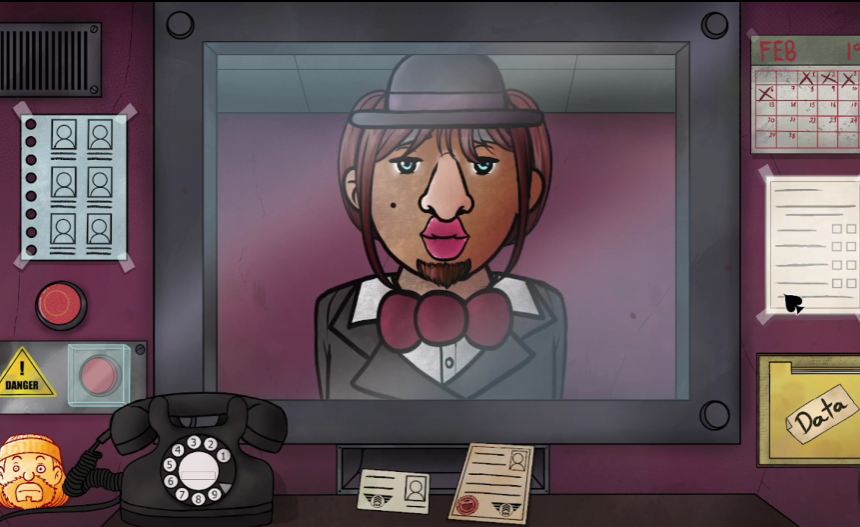
First things first: Custom Mode is a premium feature. While the browser versions are fantastic for quick arcade runs, this specific creative tool is exclusive to the Remastered Version on Steam or Itch.io.
Custom Mode Requirements: Steam vs. Browser Version
If you are searching for the "Create" button on the web version and can't find it, that is why. The developer, Nacho Sama, originally intended to add this to the 1.2.0.0 update of the original version, but due to technical difficulties, it was scrapped and moved exclusively to the Remaster.
Do I need to beat the game? Contrary to popular belief, you usually don't need to grind through the entire Campaign to access this. In the Remaster, Custom Mode is confirmed to be playable and generally unlocks after you have familiarized yourself with the core mechanics (like completing the Tutorial or your first run).
Where to Find the "Custom" Button in the Main Menu

Once unlocked, a new badge labeled "Custom Mode" (formerly known as "Create Mode" during development teasers) will appear on your Main Menu.
- Pro Tip: If the option seems missing, ensure your game is updated to Version 2.0.0 or higher, as this was the official release version for the mode.
How to Create Custom Neighbors: A Step-by-Step Guide
This is where you transition from a helpless Doorman to an all-powerful Game Master. The Custom Mode allows you to populate the building with up to 24 residents. Since the apartment complex follows the standard structure of 3 floors with 4 apartments each (12 total apartments), you can create a full house of occupants and their Doppelgangers.
Step 1: Choose Your Template
The game provides base assets from the canon characters. When you start creating a neighbor, the game initially randomizes the assets, giving you a chaotic starting point that you can then tweak freely.
Template Type | Description | Creative Tip |
Standard Resident | Uses base bodies like Roman or Gloria. | Perfect for creating "Subtle Doppelgangers" that look 99% human but have one tiny flaw. |
Monstrous Base | Uses Nightmare Mode assets. | Great for "Troll Maps" where everyone looks like a monster, but you have to check their papers. |
Step 2: Customize Appearance
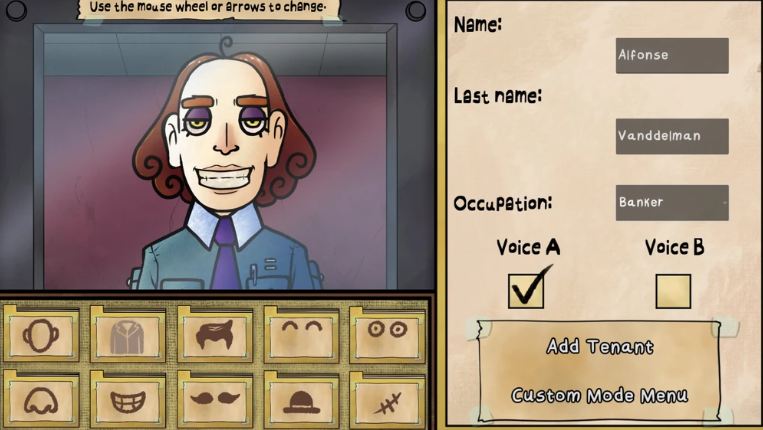
You have full control over the facial features. The goal is to make them distinct enough to be memorable, or similar enough to confuse your friends.
- Torso Glitch: Be aware of a known visual quirk where two specific torso assets have a coloring error, the neck skin color doesn't match the hands. You can actually use this "bug" as a feature: pretend it's a Doppelganger flaw!
- Facial Features: You can mix and match eyes, noses, and mouths from different characters. Want Francis’s milkman hat on Anastacha’s head? Go for it.
Step 3: Editing IDs & Entry Requests for "Troll" Maps
A Doppelganger isn't just a scary face; it's a bureaucratic nightmare. You can edit the text on their Entry Request and ID Card.
- The "Peach" Strategy: Take inspiration from the "Peach" Doppelganger in the main game. You can fill every field with a single word (like "Pizza") to create a hilarious joke character.
- Impossible Jobs: Give a child character a job title like "Nuclear Physicist" or "D.D.D. Director" to force players to check the entry request carefully.
Step 4: Build Your Map
Once you have designed your cast, you populate the building.
- Capacity: You can create a minimum of 12 and a maximum of 24 neighbors.
- Difficulty Balancing: You decide the frequency of Doppelgangers. You can make a "Relaxed" run with mostly real neighbors or a "Hell Run" where everyone is fake.
How to Export, Share & Import That's Not My Neighbor Custom Maps
The community for That's Not My Neighbor is thriving, and sharing your creations is half the fun.
Export Process
While the Wiki doesn't detail the exact file path, standard practice for the Remaster involves exporting your custom configuration (usually a .json file or a code string) directly from the Custom Menu.
- Where to Share: The best places to drop your map files are the Steam Community Guides or the r/ThatsNotMyNeighbor subreddit.
Import & Play
To play a map made by a famous YouTuber or a friend:
- Download their custom file.
- Navigate to the Import section in the Custom Mode menu.
- Load the file and start your shift.
This feature essentially gives you infinite DLC, allowing you to face off against community-made horrors that the developer never even dreamed of.
That's Not My Neighbor Card Mode Guide: Beat Killer Clown
Now, let's talk about the feature that ends more Nightmare runs than anything else: Card Mode.
This is not a standalone menu option. It is a secret game mode triggered by the Nightmare Clown (a cameo from Nacho Sama's other game, Unlikely) at the end of a Nightmare Mode run.
What is the Nightmare Clown Card Game?
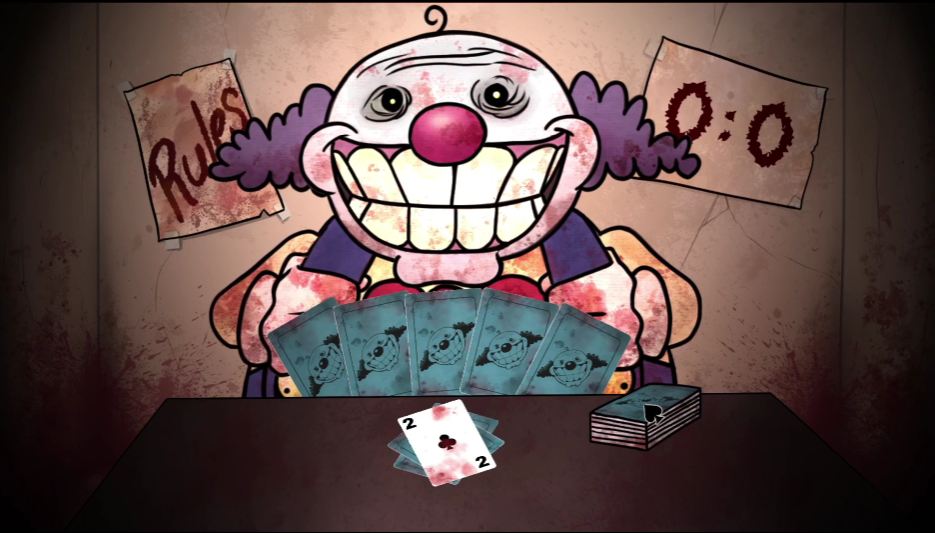
It takes place in a dream sequence. You wake up at a small table opposite the Clown.
- The Stakes: If you win, the Clown gets frustrated, and you survive the night. If you lose, he crushes the protective glass and kills you.
- Format: It is a Best of Three series. You must win 2 out of 3 rounds to survive.
Card Game Rules: Value Hierarchy (Ace vs. King)
Many guides get this wrong. It is NOT a simple "High Card Wins" game like War. The rules are more strategic, similar to Uno or Crazy Eights, but with a deadly twist:
- Card Values: Ace (A) = 1 (Lowest), J = 11, Q = 12, K = 13 (Highest).
- How to Play: You can only place a card if it has the SAME numerical value or HIGHER than the card on the table.
- Alternative: You can also place a card with the SAME SYMBOL (suit) regardless of value.
- Special Exception: You can place an Ace (1) on top of a King (13) to reset the power.
- Drawing: If you cannot play a card, you must draw from the deck.
- Lose Condition: If you hold more than 5 cards in your hand, you immediately lose the round.
- Win Condition: The first player to use up all their cards wins the round.
Card Hierarchy & Winning Strategies
The key to winning isn't just having high cards; it's managing your hand size to avoid the "5-Card Death Limit."
Card Rank | Value | Strategic Use |
King (K) | 13 | The ultimate blocker. It forces the opponent to play a matching suit or an Ace. |
Ace (A) | 1 | The "King Slayer." Save this specifically to counter the Clown's King. |
Mid (5-10) | 5-10 | Safe fillers. Use these to bridge the gap between low and high numbers. |
How to Beat the Clown
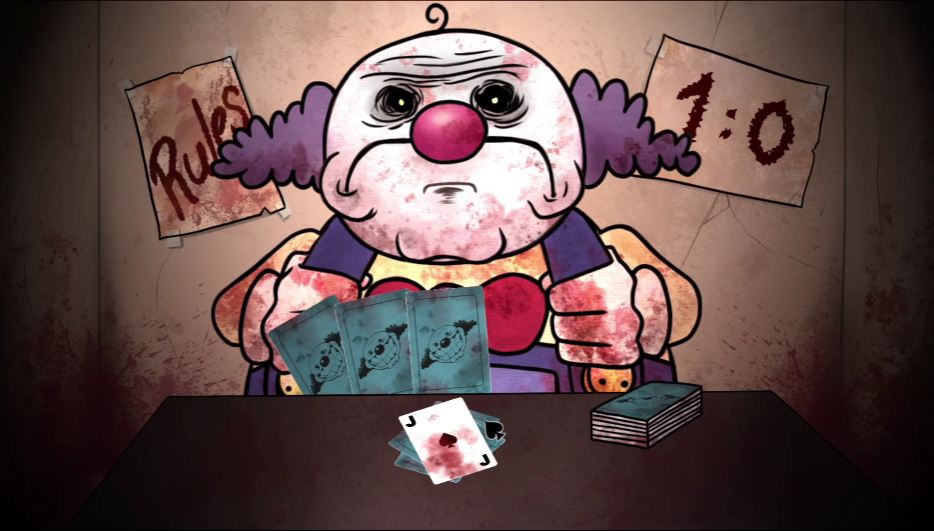
Since the Clown is AI, he follows logic. He will try to play his lowest valid card to save his high cards.
- Change the Suit: If you are stuck with low cards, use the "Same Symbol" rule. For example, if the Clown plays a 10 of Hearts and you only have a 2 of Hearts, play it! This resets the numerical value and forces the Clown to respond to a low number, potentially messing up his strategy.
- Bait the King: If you have an Ace, try to force the Clown to play high cards. Once he drops a King, slam your Ace down to take control.
Other Advanced Modes: Arcade vs. Nightmare
- Arcade Mode: This is the "Endless" scoring mode. In this mode, accuracy is key, but you also need speed to rack up points for the Overtime achievement.
- Nightmare Mode: A significantly harder version of the campaign where residents are replaced by monsters. For detailed survival tactics, check out our complete That's Not My Neighbor Nightmare Mode Guide.
You can look for these two versions on our platform Ozgames.io.
Conclusion
Custom Mode is your canvas for chaos, allowing you to breathe new life into the game with endless creativity. Meanwhile, Card Mode is the ultimate test of your nerves. By understanding the specific rules, especially the "Ace beats King" and "5-Card Limit", you can turn a game of luck into a game of skill.
Whether you are designing a map where every neighbor is a "Peach" clone or staring down the Nightmare Clown in a death match, mastery is within your reach.
Want to practice the basics before buying the Remaster? Start your shift today at https://ozgames.io/thats-not-my-neighbor, free on Ozgames.io.
FAQ
- How do I unlock Custom Mode in That’s not my neighbor?
Custom Mode is exclusive to the Remastered Version (Steam/Itch.io). It is usually available immediately or after completing the tutorial.
- Is Card Mode a separate game?
No. Card Mode is a mini-game that occurs within Nightmare Mode, involving the Nightmare Clown.
- How do I win That’s not my neighbor Card Mode?
You must be the first to empty your hand. You can play a card if it is higher/equal value OR same suit. Don't forget: Ace beats King.
- Why can't I find Custom Mode on the website version?
The browser versions are typically the Demo or Arcade builds. The Custom Mode feature was confirmed only for the Remaster version.
- What happens if I lose the card game?
If the Clown wins 2 out of 3 rounds, he breaks the glass and kills you, ending your run instantly.
That's Not My Neighbor
2025-12-15
That's Not My Neighbor Doppelgangers: Full Visual Guide
Master the D.D.D. detection protocol with our complete visual guide to every Doppelganger type, rare encounter, and subtle anomaly in That's Not My Neighbor.
That's Not My Neighbor
2025-12-15
The Real Neighbors Database: Full List of Real Residents in That's Not My Neighbor
Spot Doppelgängers with our Real Residents Database for That's Not My Neighbor. Check DDO numbers, verify 'Doppel Tells', and get a Perfect Run.
That's Not My Neighbor
2025-12-16
That's Not My Neighbor Nightmare Mode Guide: Quiz Answers and Survival Tips
Complete list of neighbors in That's Not My Neighbor Nightmare mod, 100% accurate Evil Chester quiz answers. Survive the horror with our expert strategy now.
That's Not My Neighbor
2025-12-16
That's Not My Neighbor: Rank S & Achievements Guide
Master That's Not My Neighbor with our complete Rank S & Achievements guide. Unlock all 18 trophies, including Steel Memory, and solve Chester's Quiz today.
That's Not My Neighbor
2025-12-17
That's Not My Neighbor Lore: Secrets & All Endings
Uncover That's Not My Neighbor lore: D.D.D. meaning, Trojan Horse Project origins, secret phone numbers, and all Campaign endings explained.